

How it works
vite-debug-plugin is a Vite plugin that exposes a global $debug function during development. Each call renders simultaneously in the browser console and the Vite dev server terminal, with consistent formatting and colors per severity. All $debug calls are stripped from production builds, including their argument expressions.
It works across any Vite-powered framework. It is verified end to end on Vue 3.5, React, Angular (via Analog) and Nuxt 4; SvelteKit, Astro and plain Vite SSR use the same Vite hooks and are expected to work, but are not part of the test matrix. Both client and server-rendered (SSR) code paths are supported.
See it in action
The demo below follows a Vue app through three pages. Each line starts with MARS-TECH, the default prefix of this MARS TECH plugin; set the prefix option to your own app's name instead.
Start the dev server. Start the dev server, open the app and press +1 twice. Every $debug call, first while the app boots and then in the Pinia store action, prints the same line in the browser console and in the Vite terminal: level, tag, message and source location.
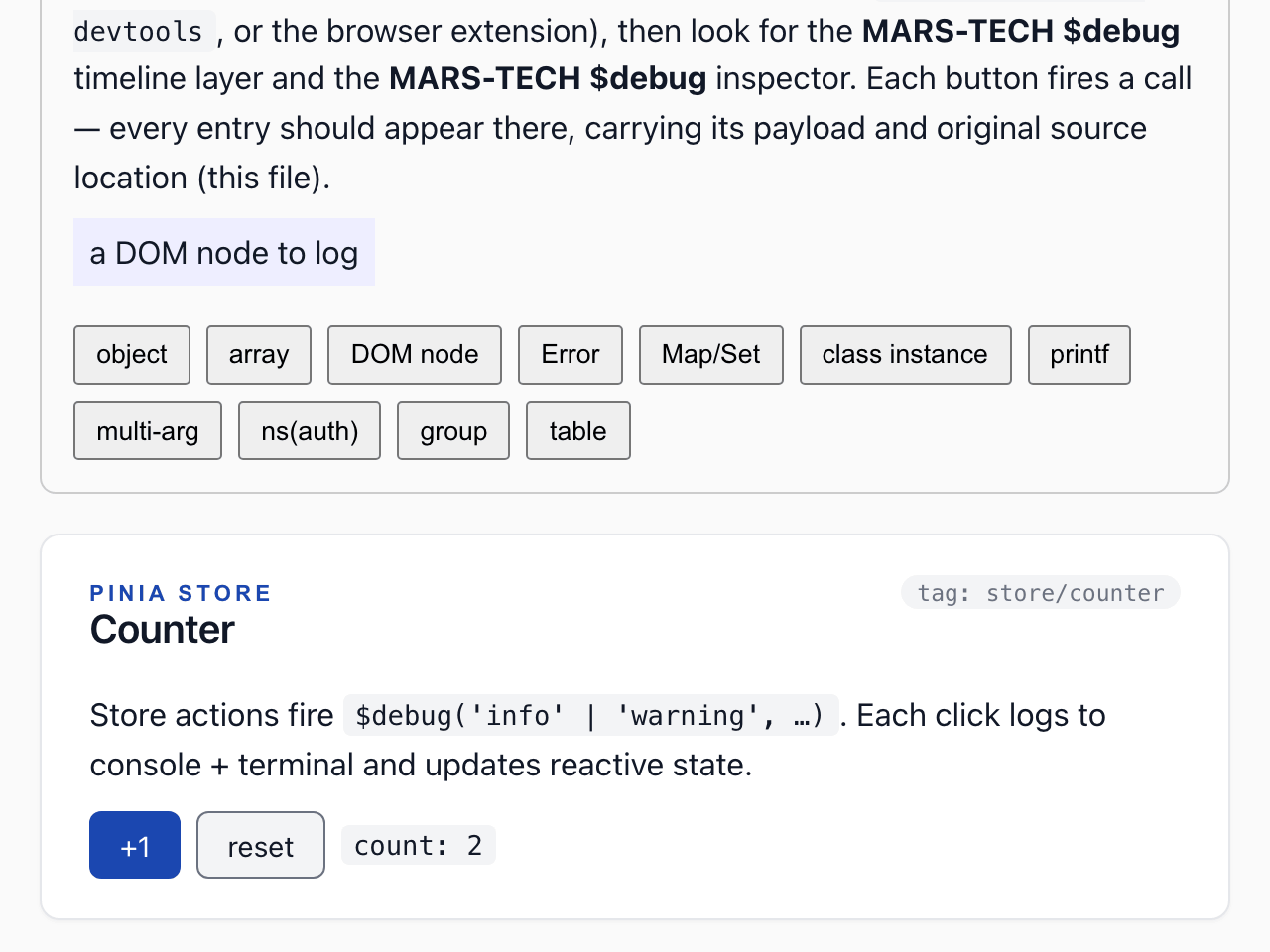
$ npm run dev -- --port 4312 --strictPort
MARS-TECH Info [main] - bootstrapping Vue app (src/main.ts:7:0)
MARS-TECH Trace [component/App] - App.vue setup (src/App.vue:4:0)
MARS-TECH Trace [router/beforeEach] - nav: / → / (src/router/index.ts:25:2)
MARS-TECH Trace [shell/mounted] - PageShell mounted (src/components/PageShell.vue:10:2)
MARS-TECH Info [SomeButton/mounted] - SomeButton mounted with variant=primary (src/components/SomeButton.vue:26:4)
MARS-TECH Trace [shell/mounted] - PageShell mounted (src/components/PageShell.vue:10:2)
MARS-TECH Trace [shell/mounted] - PageShell mounted (src/components/PageShell.vue:10:2)
MARS-TECH Success [view/Home] - Home mounted (src/views/Home.vue:16:2)
MARS-TECH Info [store/counter] - counter incremented to 1 (src/stores/counter.ts:8:6)
MARS-TECH Info [store/counter] - counter incremented to 2 (src/stores/counter.ts:8:6)
Navigate to another page. Open the About page and press Fire delayed (500 ms). Lifecycle hooks, a method called after a timer and a watcher all log through $debug, and each line points to the file, line and column of the call.
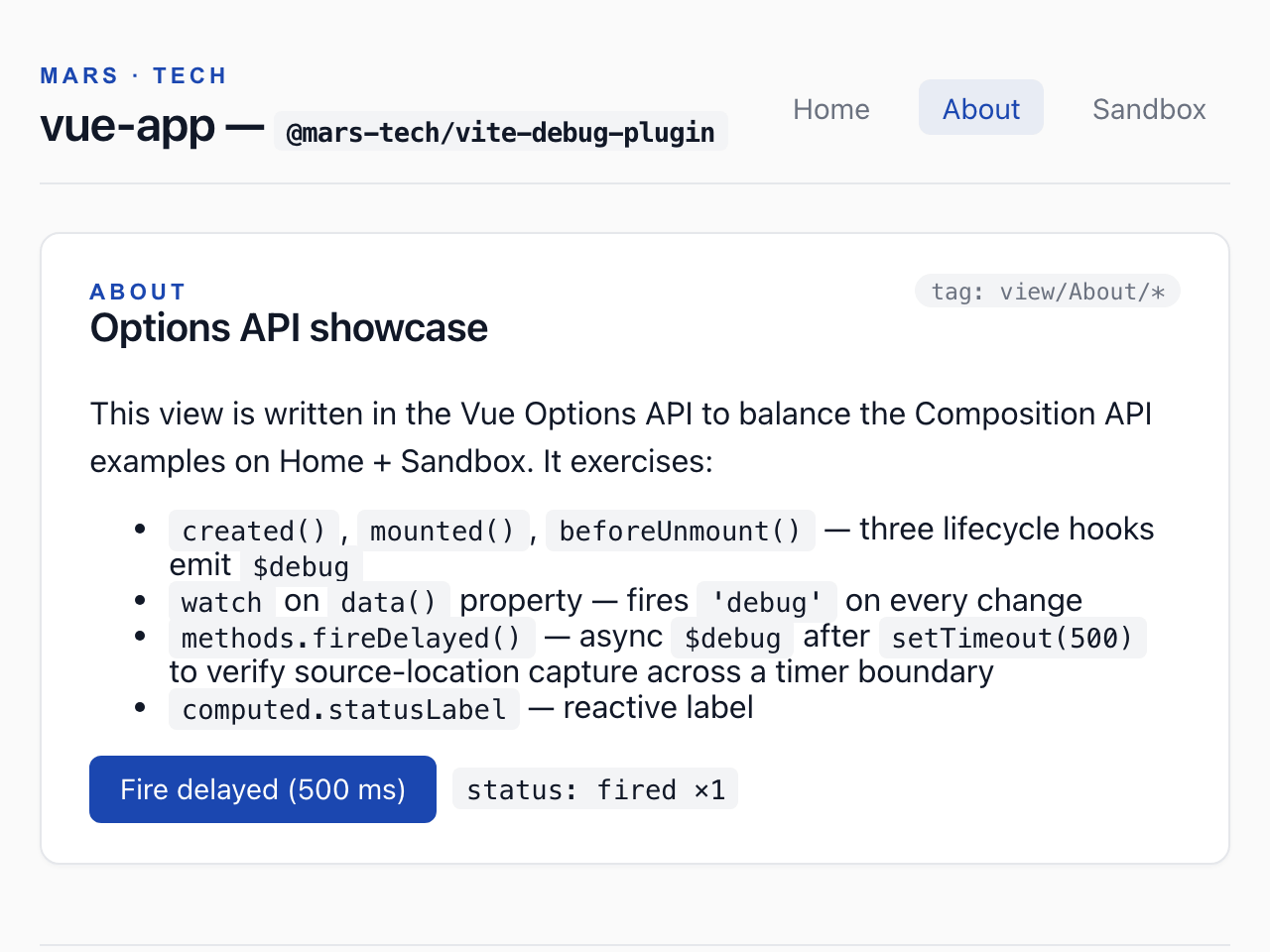
MARS-TECH Trace [router/beforeEach] - nav: / → /about (src/router/index.ts:25:2)
MARS-TECH Trace [view/About/lifecycle] - About created (src/views/About.vue:27:4)
MARS-TECH Trace [shell/mounted] - PageShell mounted (src/components/PageShell.vue:10:2)
MARS-TECH Success [view/About/lifecycle] - About mounted (src/views/About.vue:30:4)
MARS-TECH Info [view/About/method] - delayed fire #1 (src/views/About.vue:40:8)
MARS-TECH Debug [view/About/watch] - delayedCount: 0 → 1 (src/views/About.vue:21:6)
Hit an error. Open the Sandbox page and press Throw + log. Leaving About logs its beforeUnmount warning, and the caught error is logged with its stack trace.
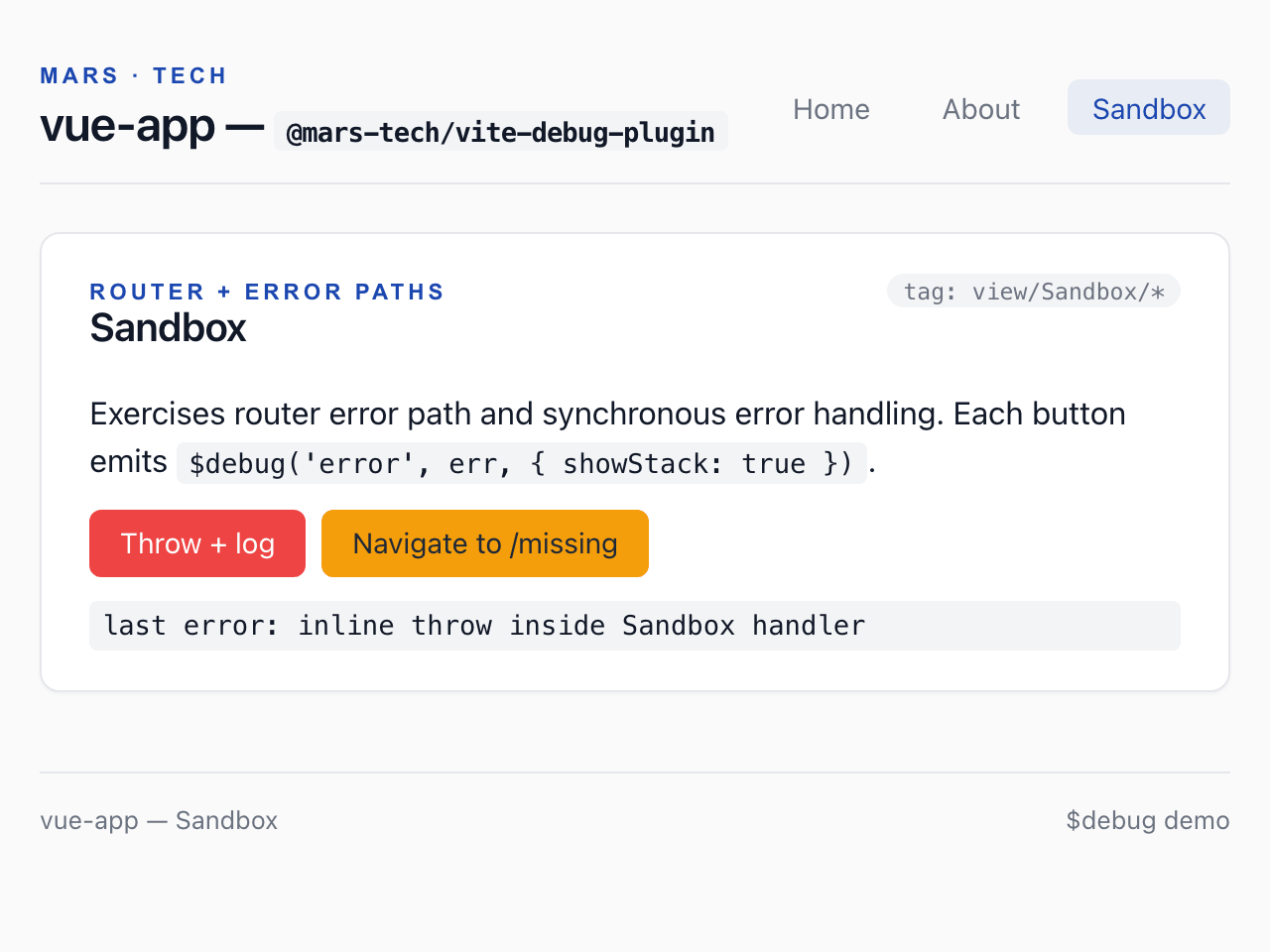
MARS-TECH Trace [router/beforeEach] - nav: /about → /sandbox (src/router/index.ts:25:2)
MARS-TECH Warning [view/About/lifecycle] - About beforeUnmount (src/views/About.vue:33:4)
MARS-TECH Trace [shell/mounted] - PageShell mounted (src/components/PageShell.vue:10:2)
MARS-TECH Trace [view/Sandbox] - Sandbox mounted (src/views/Sandbox.vue:10:2)
MARS-TECH Error [view/Sandbox/handler] - inline throw inside Sandbox handler (src/views/Sandbox.vue:26:4)
  Error: inline throw inside Sandbox handler
      at throwInline (http://localhost:4312/src/views/Sandbox.vue:38:11)
      at callWithErrorHandling (http://localhost:4312/node_modules/.vite/deps/vue.runtime.esm-bundler-BbnC8aGa.js?v=7dcb8c1b:1889:17)
      at callWithAsyncErrorHandling (http://localhost:4312/node_modules/.vite/deps/vue.runtime.esm-bundler-BbnC8aGa.js?v=7dcb8c1b:1896:15)
      at HTMLButtonElement.invoker (http://localhost:4312/node_modules/.vite/deps/vue.runtime.esm-bundler-BbnC8aGa.js?v=7dcb8c1b:7677:10)
Text version of this animation
The browser console and the Vite terminal print the same lines. In the browser the level is coloured and the source location is in italics; in the terminal the source location is dimmed. A stack trace follows its line in the terminal, and sits in a collapsed “stack” group in the console.
Step 1 of 3 — Start the dev server. Start the dev server, open the app and press +1 twice. Every
$debugcall, first while the app boots and then in the Pinia store action, prints the same line in the browser console and in the Vite terminal: level, tag, message and source location.Output:
$ npm run dev -- --port 4312 --strictPort
MARS-TECH Info [main] - bootstrapping Vue app (src/main.ts:7:0)
MARS-TECH Trace [component/App] - App.vue setup (src/App.vue:4:0)
MARS-TECH Trace [router/beforeEach] - nav: / → / (src/router/index.ts:25:2)
MARS-TECH Trace [shell/mounted] - PageShell mounted (src/components/PageShell.vue:10:2)
MARS-TECH Info [SomeButton/mounted] - SomeButton mounted with variant=primary (src/components/SomeButton.vue:26:4)
MARS-TECH Trace [shell/mounted] - PageShell mounted (src/components/PageShell.vue:10:2)
MARS-TECH Trace [shell/mounted] - PageShell mounted (src/components/PageShell.vue:10:2)
MARS-TECH Success [view/Home] - Home mounted (src/views/Home.vue:16:2)
MARS-TECH Info [store/counter] - counter incremented to 1 (src/stores/counter.ts:8:6)
MARS-TECH Info [store/counter] - counter incremented to 2 (src/stores/counter.ts:8:6)
Step 2 of 3 — Navigate to another page. Open the About page and press Fire delayed (500 ms). Lifecycle hooks, a method called after a timer and a watcher all log through
$debug, and each line points to the file, line and column of the call.Output:
MARS-TECH Trace [router/beforeEach] - nav: / → /about (src/router/index.ts:25:2)
MARS-TECH Trace [view/About/lifecycle] - About created (src/views/About.vue:27:4)
MARS-TECH Trace [shell/mounted] - PageShell mounted (src/components/PageShell.vue:10:2)
MARS-TECH Success [view/About/lifecycle] - About mounted (src/views/About.vue:30:4)
MARS-TECH Info [view/About/method] - delayed fire #1 (src/views/About.vue:40:8)
MARS-TECH Debug [view/About/watch] - delayedCount: 0 → 1 (src/views/About.vue:21:6)
Step 3 of 3 — Hit an error. Open the Sandbox page and press Throw + log. Leaving About logs its
beforeUnmountwarning, and the caught error is logged with its stack trace.Output:
MARS-TECH Trace [router/beforeEach] - nav: /about → /sandbox (src/router/index.ts:25:2)
MARS-TECH Warning [view/About/lifecycle] - About beforeUnmount (src/views/About.vue:33:4)
MARS-TECH Trace [shell/mounted] - PageShell mounted (src/components/PageShell.vue:10:2)
MARS-TECH Trace [view/Sandbox] - Sandbox mounted (src/views/Sandbox.vue:10:2)
MARS-TECH Error [view/Sandbox/handler] - inline throw inside Sandbox handler (src/views/Sandbox.vue:26:4)
  Error: inline throw inside Sandbox handler
      at throwInline (http://localhost:4312/src/views/Sandbox.vue:38:11)
      at callWithErrorHandling (http://localhost:4312/node_modules/.vite/deps/vue.runtime.esm-bundler-BbnC8aGa.js?v=7dcb8c1b:1889:17)
      at callWithAsyncErrorHandling (http://localhost:4312/node_modules/.vite/deps/vue.runtime.esm-bundler-BbnC8aGa.js?v=7dcb8c1b:1896:15)
      at HTMLButtonElement.invoker (http://localhost:4312/node_modules/.vite/deps/vue.runtime.esm-bundler-BbnC8aGa.js?v=7dcb8c1b:7677:10)
Production builds
The plugin must be registered for vite build
The plugin does the stripping, so register it unconditionally, in the top-level plugins array, never behind command === "serve" or apply: "serve". See Install and register the plugin.
In vite build (client and SSR), every call to the configured global identifier (default $debug) is replaced with void 0. The argument expressions are not evaluated.
// before
$debug("debug", expensiveCompute());

// after build
void 0;
This means it is safe to put cost in the arguments: there is no production runtime impact and no SSR runtime ships.
What the strip covers
The strip covers every module of your own source, whatever its file type: .js and .ts, .vue, .cjs, an inline <script type="module"> in index.html, a virtual module, a page compiled by Svelte, Astro, MDX or VitePress, as well as web workers and the scripts Vite copies instead of bundling them. A file the strip cannot parse produces a build warning; it is never skipped silently.
Two places are left as they are:
- Dependencies, meaning anything under a
node_modules/directory. A library that calls$debugshould ship a stripped variant of its own, built withlibrary.debugBuild: see Library authoring. public/. Vite copies its files to the build as they are, so a$debugcall in one of them is never stripped. Keep$debugout ofpublic/.
A classic inline <script> (without type="module") or an inline on* attribute in your HTML is copied into the built page as written, so a call there cannot be stripped: the build warns about each one. Call $debug from module code instead. A classic inline script also runs before the dev runtime loads, so it throws in development too.
Method and chained forms
Method and chained forms strip too: $debug.time(...) → void 0, and an inline $debug.ns('x')('info') collapses to void 0 (the whole chain, so it never degrades to void 0(...)). A scoped-logger factory ($debug.ns('x')) strips to a callable no-op (() => {}) instead of void 0, so a logger stored in a variable (const log = $debug.ns('x')) stays safe to call after the strip, and the no-op is then tree-shaken away. A bare $debug.ns('x') statement, whose value nothing uses, collapses to void 0, so code without semicolons cannot read the no-op as a call on the line before it.
A constant key on a global object is the global itself: globalThis['$debug'](...) and window["$debug"].time(...) strip like their dotted forms. A computed method ($debug['time'](), globalThis.$debug['time']()) is left as written and reported by a build warning, since it throws in production. So is a reference that is not a call (const d = $debug, or $debug passed as a value): only calls are stripped. A dynamic key (globalThis[name]()) is left as written too, without a warning: the strip cannot tell what it names. Call $debug directly, with static names.
Web workers
vite build bundles a worker (new Worker(new URL("./worker.js", import.meta.url)), ?worker, ?sharedworker, ?worker&inline) with worker.plugins alone, never with the top-level plugins. The plugin adds its strip to worker.plugins by itself, after your own worker plugins, so workers are stripped with nothing to configure. An mtDebug() of your own in worker.plugins does not replace that strip: like any duplicate, it may stand down. Under library.debugBuild, a worker is stripped in both variants: dist/debug/ keeps the calls of your main code, not a worker's.
If another plugin replaces worker.plugins after this one added its strip, the main build strips the worker's code instead: the file Vite emits for it, or the string a ?worker&inline import holds. One nested case escapes it: see A plugin that replaces worker.plugins late.
A worker has no dev runtime of its own: in vite dev, a bare $debug(...) inside a worker throws ReferenceError. Call it from the page, or as globalThis.$debug?.(...) in worker code.
Scripts Vite copies
Vite bundles a worker only when new URL(…) is written inside new Worker(…). These references name a file that Vite copies as written instead:
- a URL kept in a variable (
const url = new URL("./worker.js", import.meta.url); new Worker(url)); - a service worker (
navigator.serviceWorker.register(new URL(…))); - an audio worklet (
audioWorklet.addModule(new URL(…))); - a
?urlimport.
Vite copies such a script as a file of its own, or inlines it as a base64 data: URL in the chunk that names it (when the file is smaller than build.assetsInlineLimit or is imported with ?inline, and always in library mode). No transform hook sees that text, so the plugin strips it where it lands: in each .js, .mjs or .cjs file the build emits that way, and in each JavaScript data: URL that a chunk or a page holds. Under library.debugBuild, such a script is stripped in both variants, like a worker. A script copied from a dependency is left as it is, like the dependency's modules.
Three kinds are left as written, and the build warns about each one that names $debug:
- a script imported with
?raw, which is text your code asked for verbatim; - a TypeScript or JSX file (
.ts,.tsx,.jsx) copied that way, which the strip cannot parse: give it a.jsextension, or let Vite bundle it withnew Worker(new URL("./worker.ts", import.meta.url)); - a
data:URL of another type whose text names it.
Known limits
Apart from dependencies, public/ and a dynamic key, described above, three rare setups escape the strip without a build warning. In each of them the build succeeds, and the $debug(...) calls ship as written, argument literals included. In production nothing installs $debug, so they throw a ReferenceError or a TypeError when they run.
HTML pages loaded as assets
Vite copies an HTML page byte for byte when the code references it as an asset instead of listing it in the build input: new URL('./frame.html', import.meta.url) (for example as the src of an <iframe>) or import url from './frame.html?url' emits assets/frame-[hash].html unchanged. The $debug(...) calls in its inline <script type="module"> and classic <script> blocks stay. In vite dev the same page is served with the runtime, so its module scripts log in development and throw in production. Pages listed in the build input are stripped as usual.
Call $debug only from module code that Vite bundles, never from an HTML page loaded as an asset.
Worker and script with the same file name
This needs output file names without a hash in two places: entryFileNames: 'assets/[name].js' in the worker output (worker.rollupOptions.output, or worker.rolldownOptions.output on Vite 8) and assetFileNames: 'assets/[name][extname]' in the main build output (build.rollupOptions.output, or build.rolldownOptions.output on Vite 8). If the app imports an inline worker (./a/worker.js?worker&inline) and Vite also copies a script with the same base name to a file of its own (const url = new URL('./b/worker.js', import.meta.url); new Worker(url), larger than build.assetsInlineLimit), that second file, copied to assets/worker.js, keeps its $debug(...) calls. The default hashed names are not affected.
Keep the default hashed file names, or give your workers and copied scripts distinct file names.
A plugin that replaces worker.plugins late
The plugin adds its strip to worker.plugins from a config hook ordered post. Another plugin with enforce: 'post', listed after mtDebug(), whose own config hook is also ordered post can replace that list afterwards (for example config.worker.plugins = () => []). The main build then strips each worker's code itself, as described in Web workers, but a ?worker&inline worker nested inside another worker keeps its $debug(...) calls. Without such a plugin, nested workers are stripped.
Do not let a plugin overwrite worker.plugins late. If such a plugin is yours or configurable, make the list it sets include a fresh mtDebug() instance: call mtDebug() there, do not reuse the one from your top-level plugins. Adding it to your own worker.plugins does not help, because the late plugin replaces that list.
Next steps
- Quickstart: install the plugin and make your first call.
- Framework recipes: where to register the plugin in your stack.
- Where output appears: live object inspection, Vue DevTools and the NDJSON log file.
- Migrating from 0.6: renamed and removed options in 1.0.